
ComfyUI Video Stabilizer
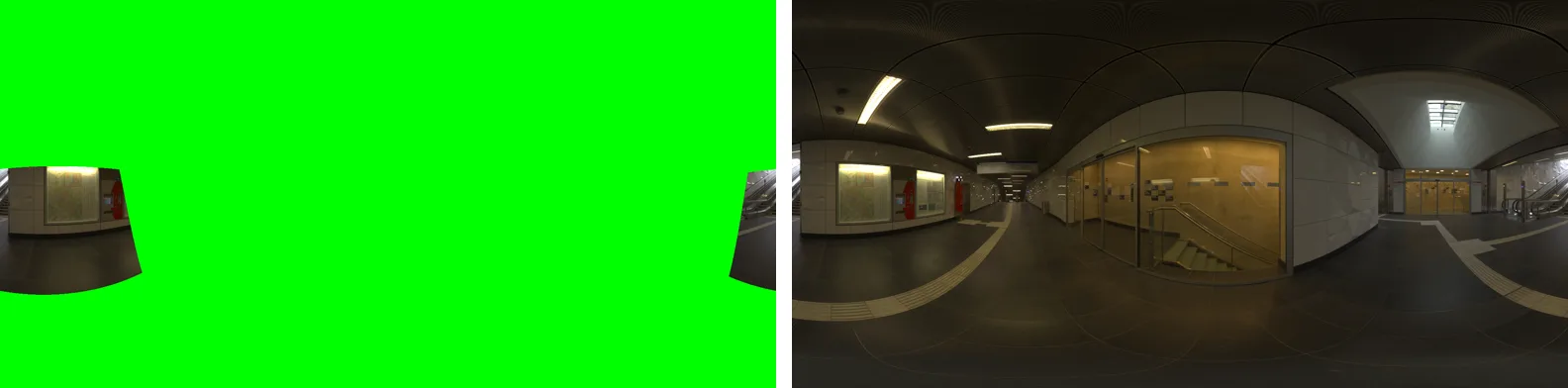
We released custom nodes for ComfyUI that stabilize shaky video. They output the edges that stabilizing pushes out of frame, so a video generation model can paint them in. There is also a node that adds camera shake to footage.
Filling the lost edges with video generation
Stabilization itself is nothing special. It has long been done as a mechanical process, and these nodes use those same techniques.
Generative AI changed one thing, though: video can now be outpainted, which means drawing what lies outside the frame.
Stabilization shifts each frame against the shake, so the edges of the frame move out of view. Until now, the stronger the stabilization, the more field of view had to be given up. With a video generation model, the missing edges can be filled in.
For this, the nodes have two modes, crop_and_pad and expand, that deliberately keep the exposed areas in their output.
If shake can be removed, it can be added
A later addition is a node that adds camera shake. If shake can be taken out, it should be possible to put it in. You choose the kind of shake, such as tripod, handheld, walking, action, or vehicle vibration, and how strong it is.
AI-generated video is often too smooth, and a simple step like this that adds some texture works surprisingly well.
The shake removed by stabilization is also kept as data, so it can be put back into the footage later.